> For the complete documentation index, see [llms.txt](https://thales-mfi.gitbook.io/app-documentation-en/llms.txt). Markdown versions of documentation pages are available by appending `.md` to page URLs; this page is available as [Markdown](https://thales-mfi.gitbook.io/app-documentation-en/introduction.md).
# Introduction
### Overview
Welcome to the Thales Options Strategy Simulator (OSS), a powerful application designed to simulate and analyze complex options strategies. The OSS caters to professional options traders, offering a modular structure, exceptional flexibility, and cutting-edge technology to meet and exceed their needs.
Dashboard Widget Structure of OSS
The Thales OSS offers a user-friendly dashboard with customizable widgets. This allows for a personalized workspace to be created, enabling strategies to be clearly visualized. The application is designed to be applicable to both traditional and emerging markets, including cryptocurrency Options. Users are provided with valuable insights and a competitive advantage regardless of their preferred market.
We understand the ever-changing landscape of Options trading. To enhance your trading experience, the platform is continually enriched with new widgets, features, and functionalities. The OSS goes beyond simple simulation; it functions as a comprehensive analysis platform. This allows for exploration of market data, comparison of strategies, and a deeper understanding of market dynamics.
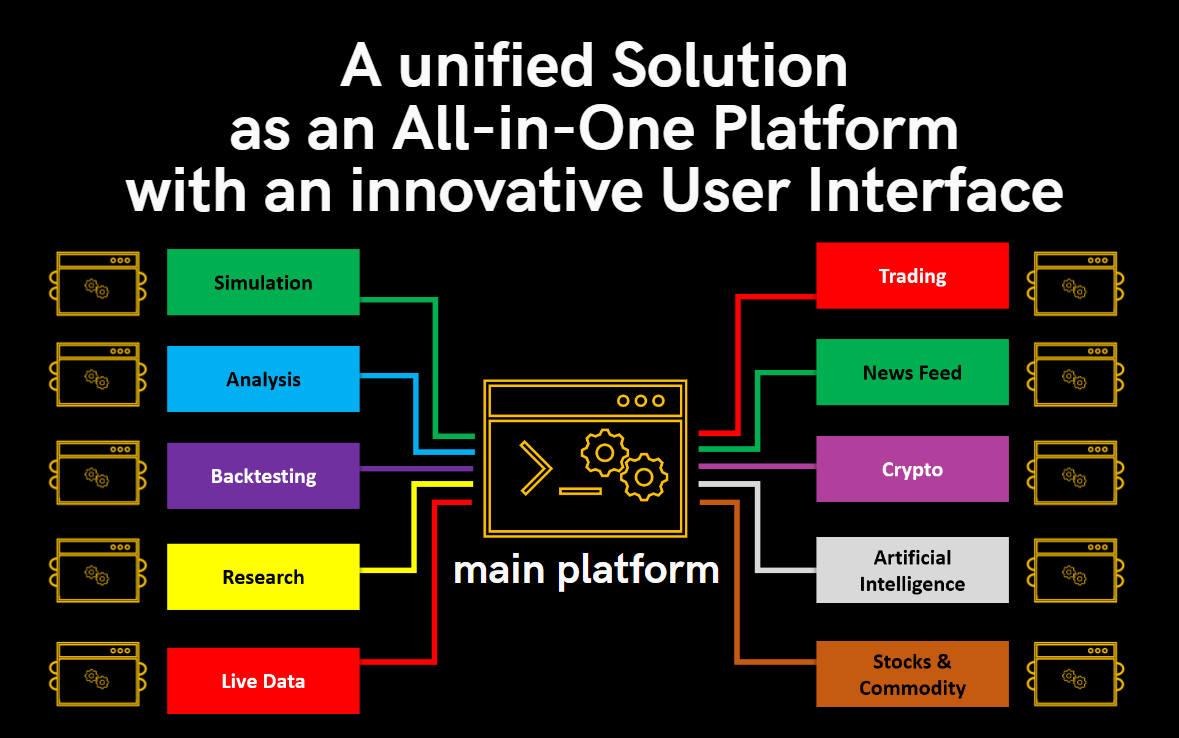
The idea of an All-in-One Platform
The Thales Options Strategy Simulator (OSS) empowers you to design, test, and refine options strategies in a user-friendly environment. This powerful tool can be your partner on your journey to mastering options trading.
[*Launch the App*](https://oss.thales-mfi.com/)